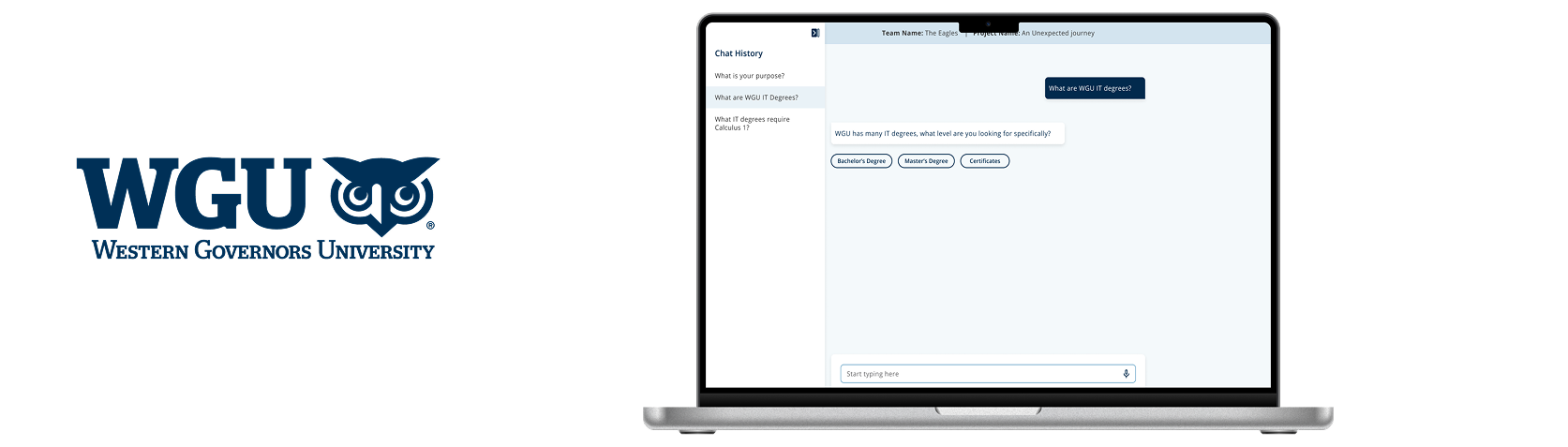
Smart Owl AI Chatbot website research
My Role
• Researcher (Led the project)
• Collaborated with other researchers
& designer
• Leading unmoderated usability testing
• Maze test building
• Analyze & Report Findings
• Present findings to stakeholders.
Time
2025
User
Program Mentors & Course Instructor
Platform
Website design for Faculty members
Study Objective:
Gather faculty’s initial impressions of early Smart Owl designs
Understand faculty needs and expectations related to the chatbot experience
Identify which features are most valuable to faculty to help guide prioritization
Learn how faculty would use Smart Owl to streamline or support their existing workflows
Understand preferences around AI model selection and expectations for response quality
Research Methodology :
Maze unmoderated usability testing
Sample Size: 10-15 Instructors & Program Mentors
Combination of both quantitative and qualitative data
Results
Maze clickthrough of unmoderated testing
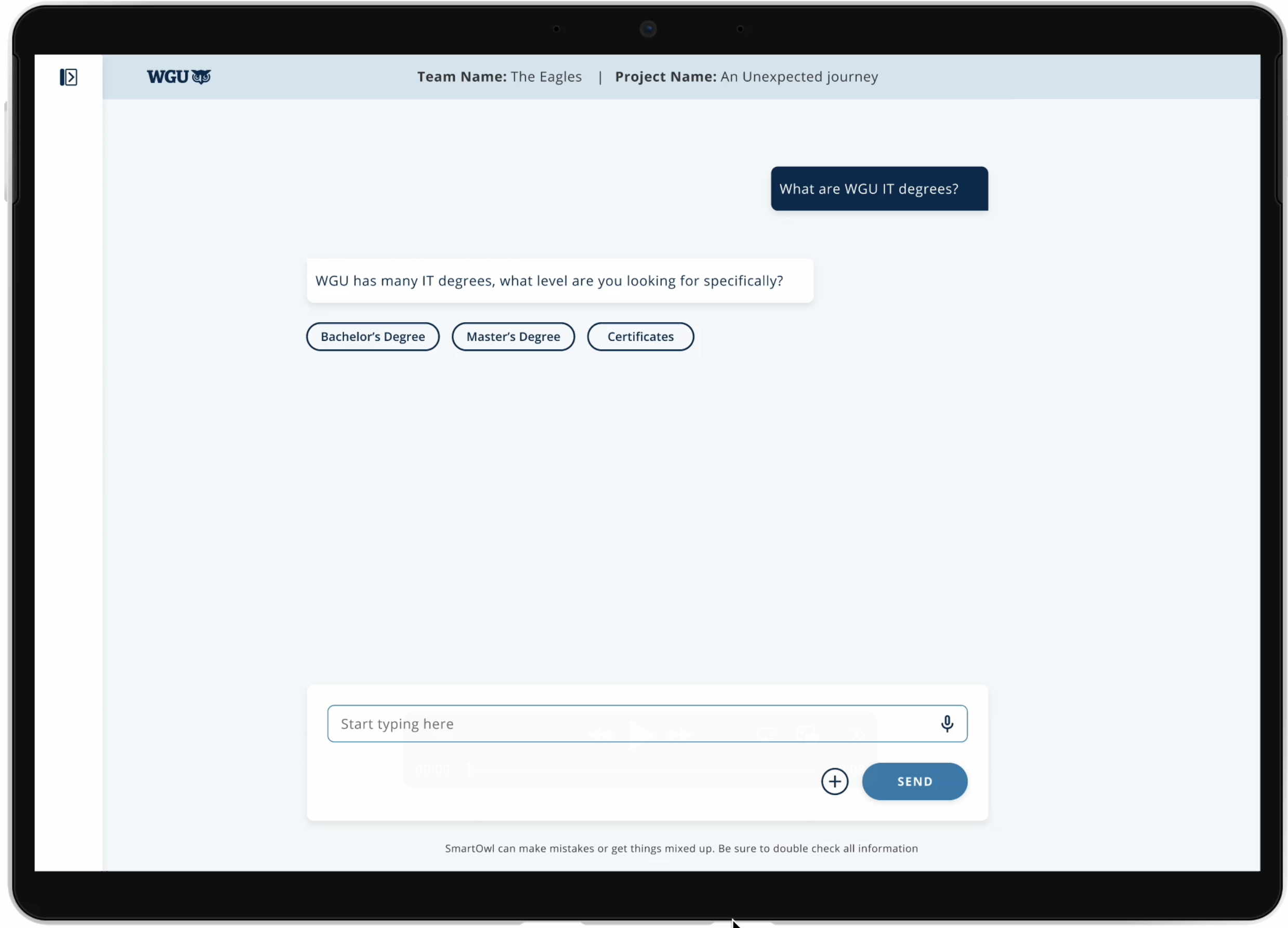
AI Chatbot for Faculty
Smart Owl is an AI chatbot web application.
It's a simple, standalone website where you can ask questions, get help, and move on—just like ChatGPT.
Research Methodology: Mixed-Methods (Qual + Quant)
Since we have wireframes for a few features and a list of others that don’t yet have visuals, I decided to move forward with unmoderated usability testing through Maze. Here’s what I had in mind:
Clickable wireframes/prototypes: I’ll set these up to gather feedback on the early Smart Owl designs and identify where users get stuck or confused.
Qualitative feedback (open-text questions): For the features that don’t have wireframes yet, we’ll use open-ended questions to explore what users find most valuable—and why.
Project Launch
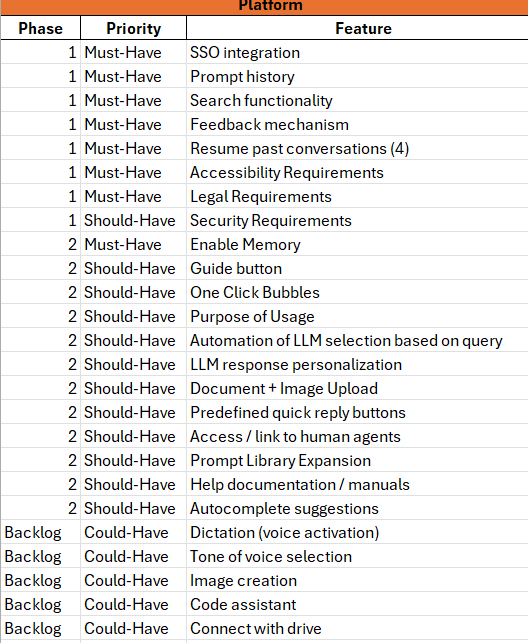
The project kicked off with the PM sharing a list of features. Now, the team wants to understand which ones matter most to Faculty.
Feature Build in Progress: The design team had started building out the Smart Owl features.
With Wireframes: As the researcher, I realized we finally had something concrete to share with users and get their input.
Missing Pieces: But pretty quickly, I noticed we didn’t have all the wireframes ready yet.
Without Wireframes: So, for the features still in progress, I decided to rely on open-ended or multiple-choice questions to gather feedback.
A few Smart Owl features with wireframes
-
![One-click bubble CTA]()
One-click bubble CTA
-
![Like/Dislike]()
Like/Dislike
-
![Chat History]()
Chat History
-
![Add Files Drag and Drop]()
Add Files Drag and Drop
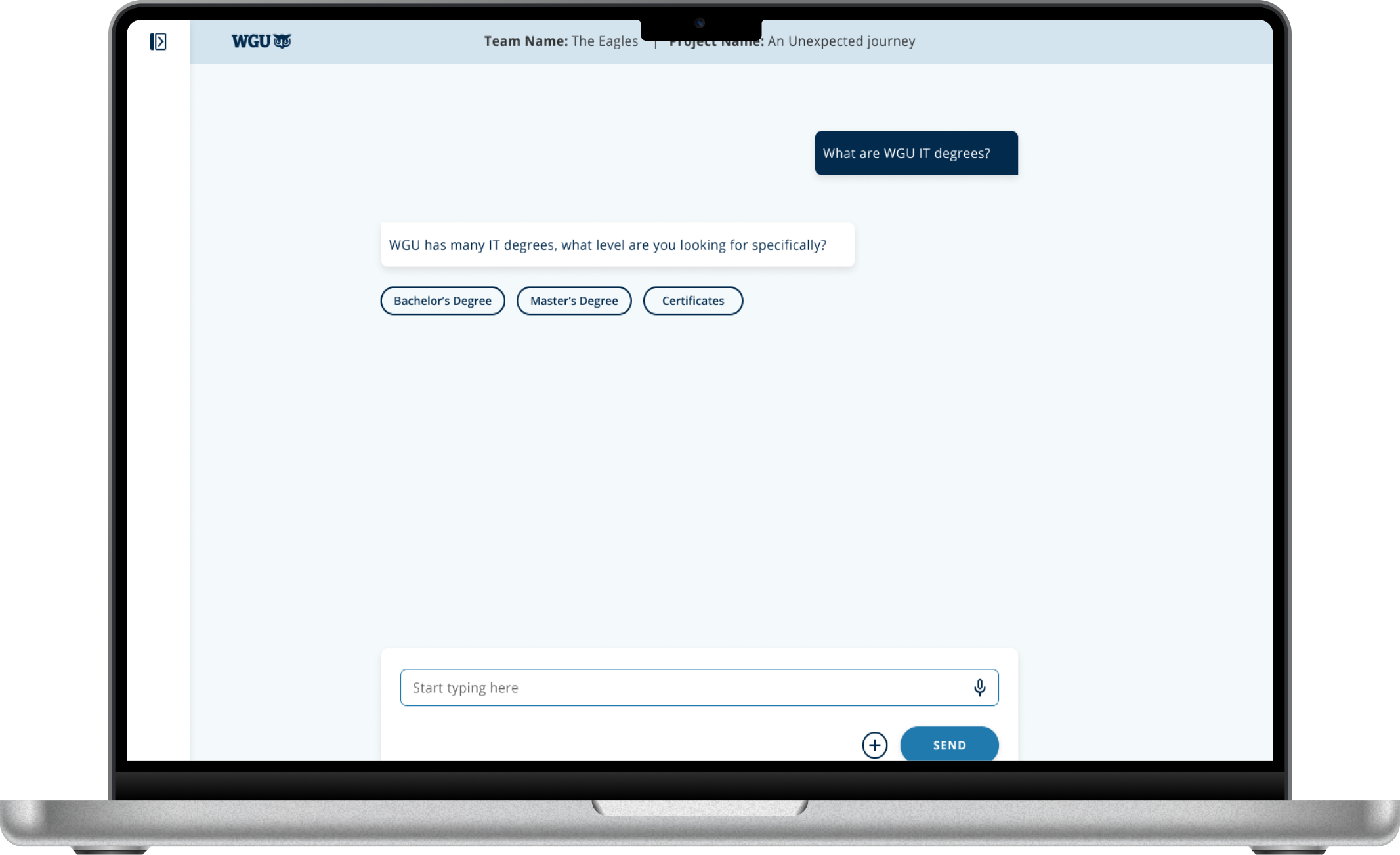
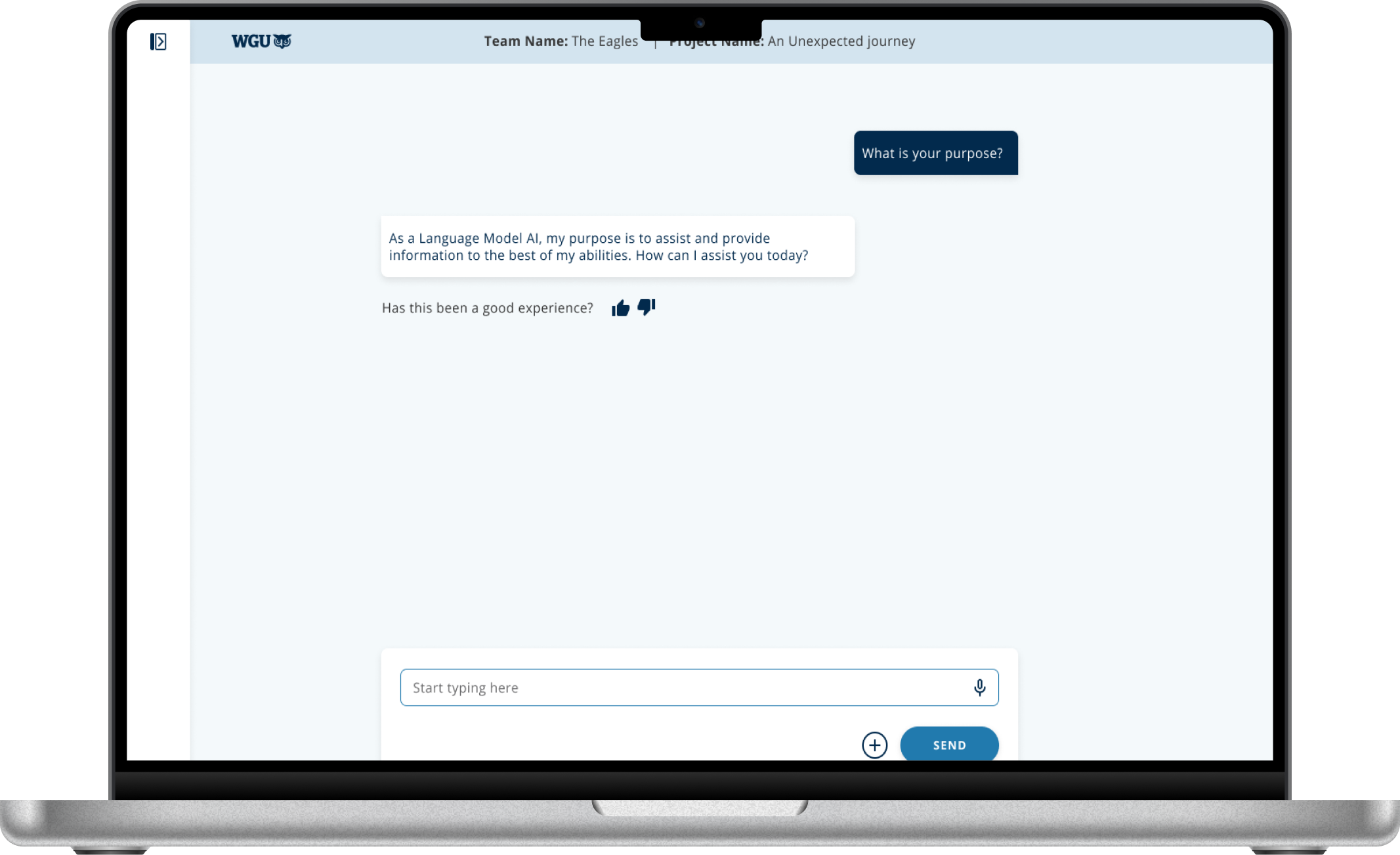
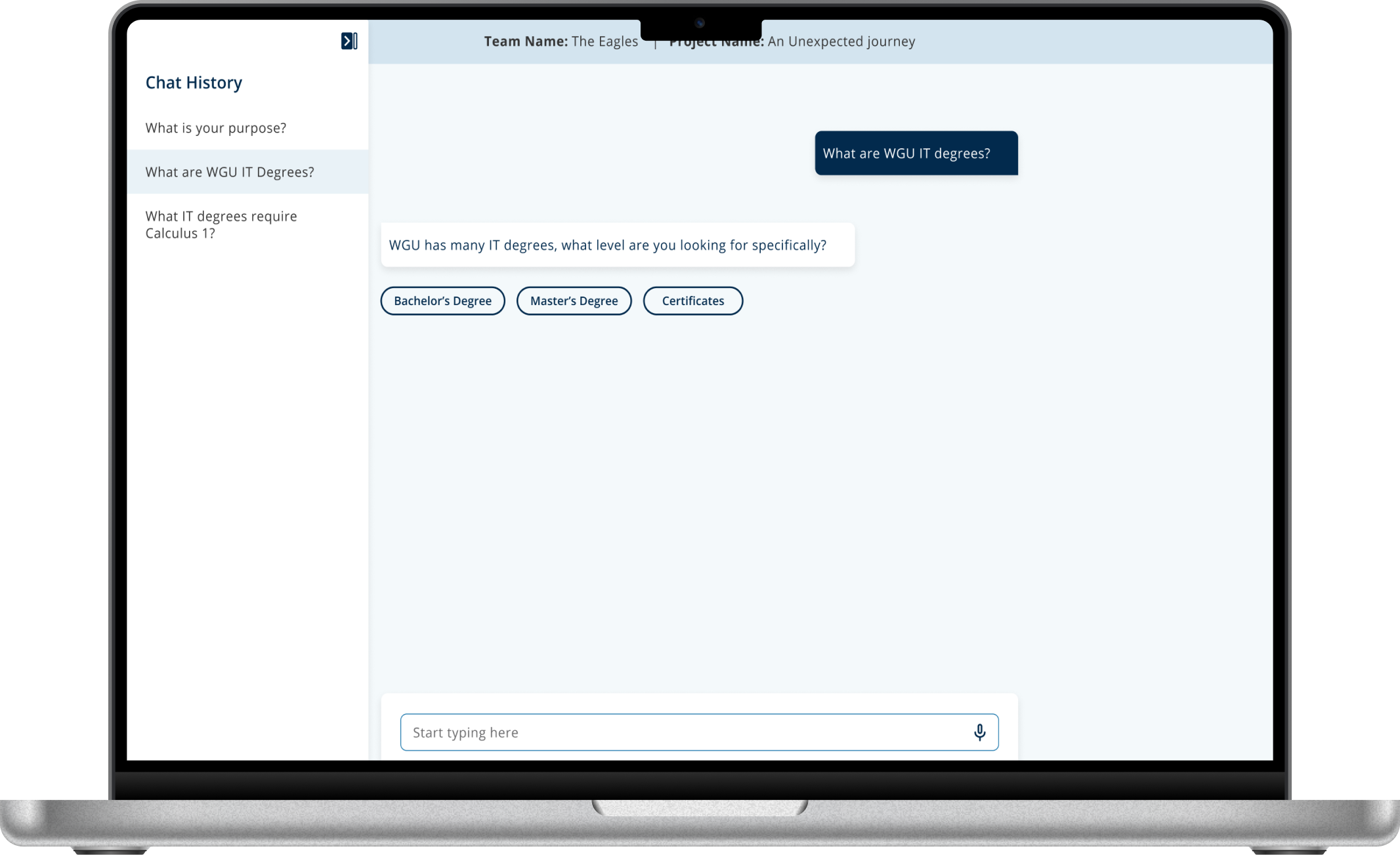
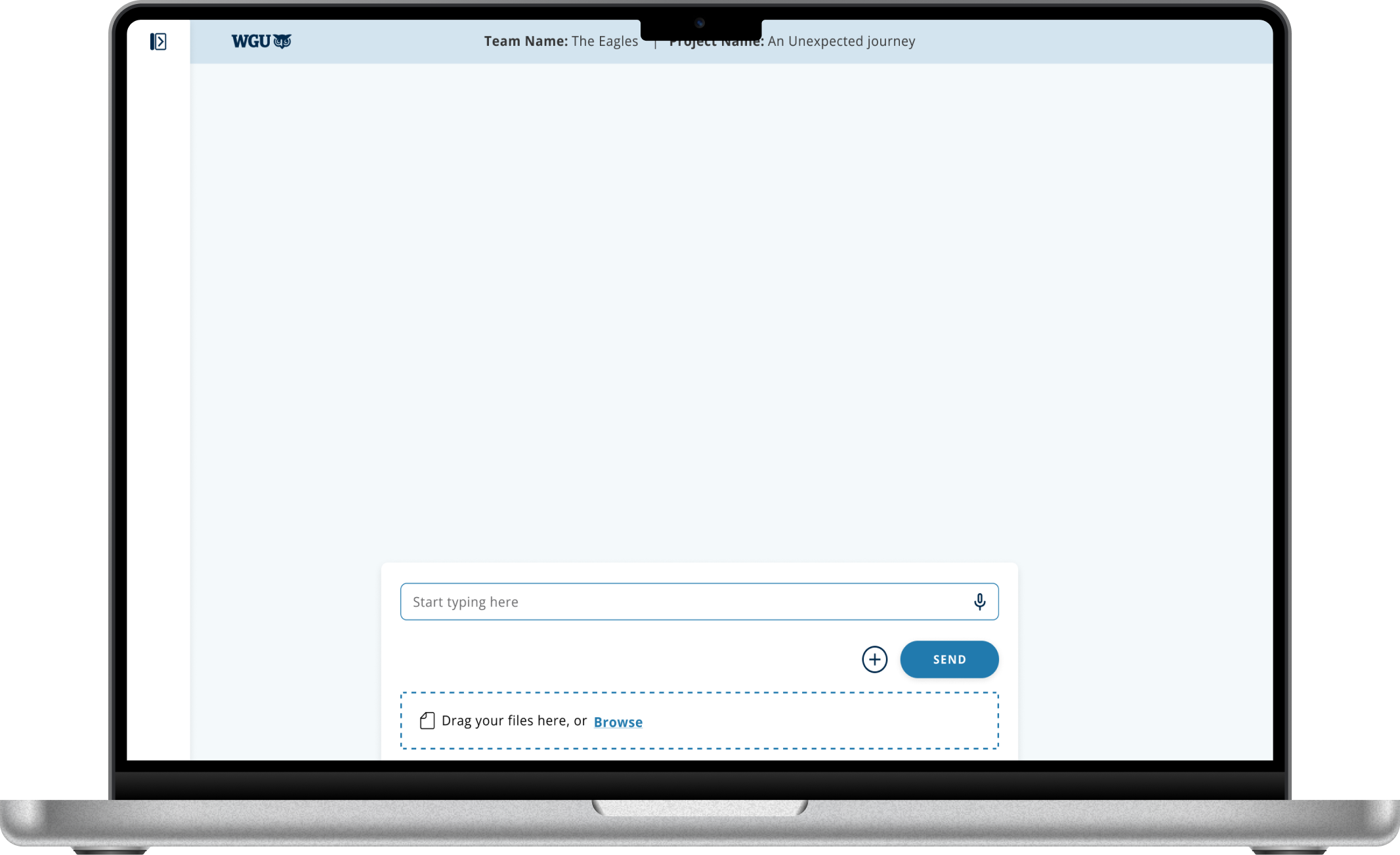
(Before feedback) VIDEO: Unmoderated usability testing of Maze
(Post-feedback) VIDEO: Maze unmoderated testing
Who exactly is our User?
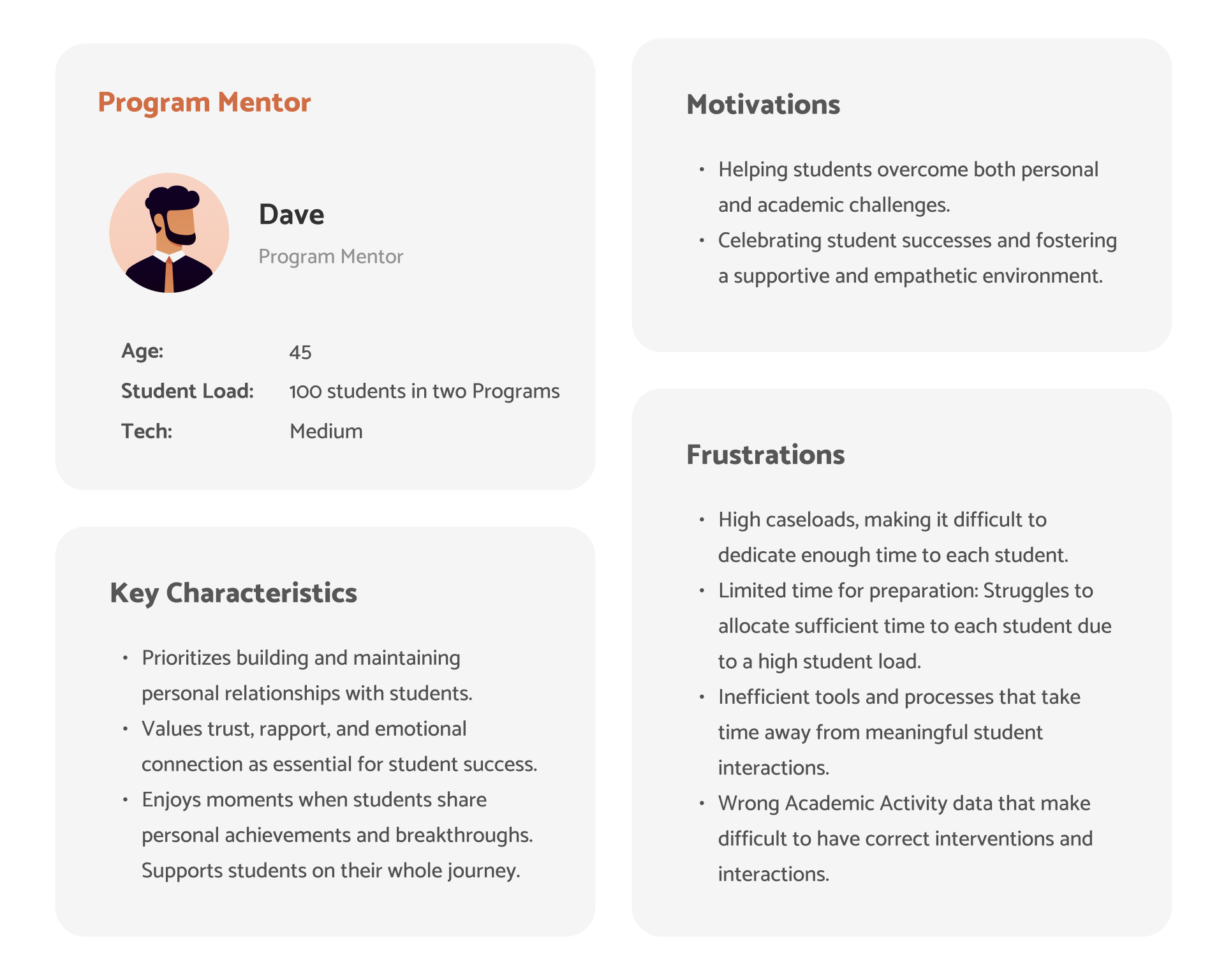
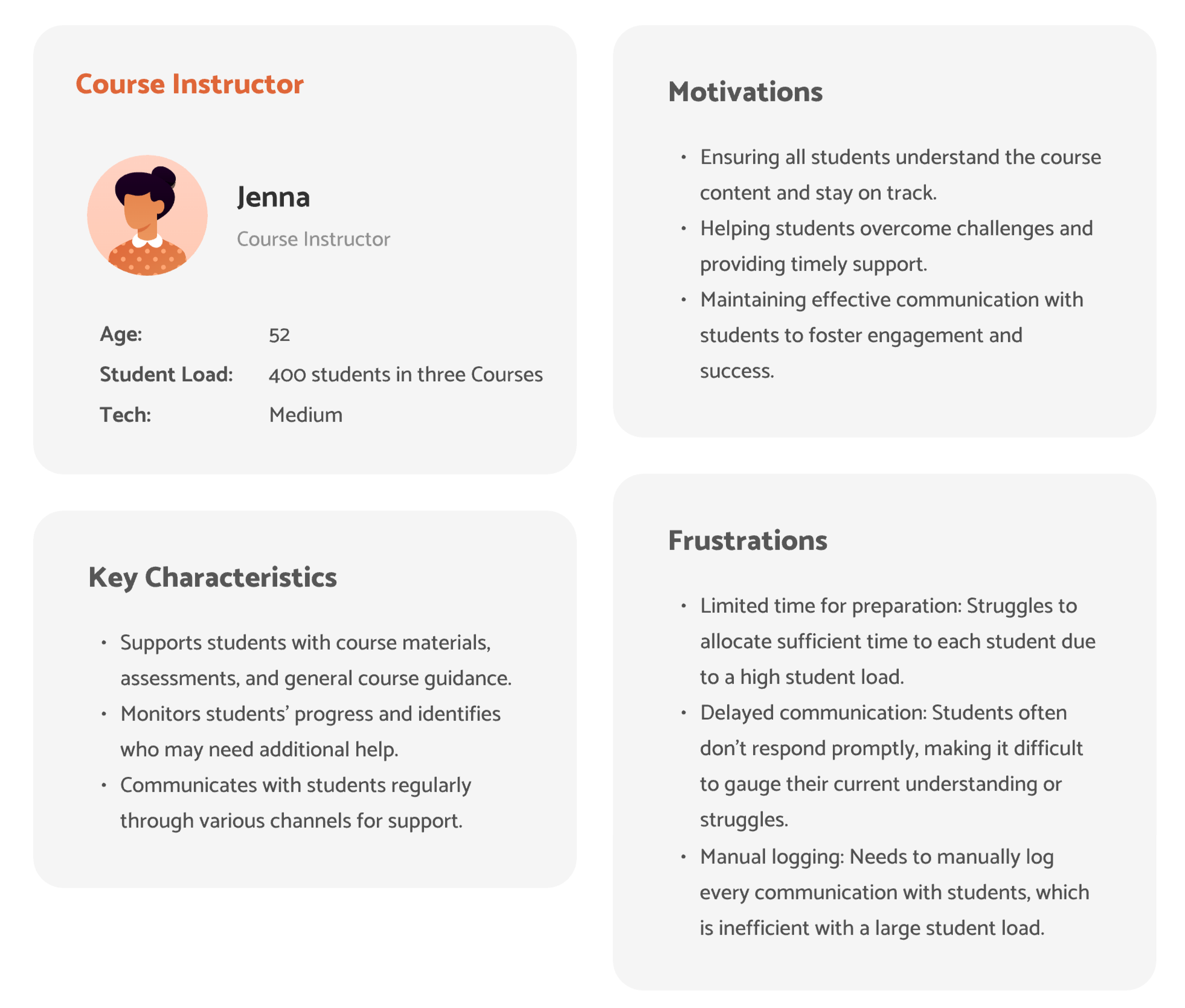
Insights from Faculty testing
Key Insights: Maze testing result
User Insights
Awareness for Switching AI Model
80% of users (17/21) successfully switched AI models, showing strong usability; a 20% drop-off highlights a UX gap and opportunity to improve guidance.
User Insights
AI Platforms: Most to Least Favorite AI model
Most popular - 14 out of 19 users use ChatGPT.
Other common tools: 5 users use Gemini, and 4 use CoPilot.
Multiple Platforms: Some users selected more than one AI platform.
No platform use: Only 2 users reported not using any AI platform.
Least popular: Meta AI was the least used, with just 1 user.
User Insights
One-click feature feedback summary
Most users (67%) found the one-click feature fast and helpful for reaching more specific answers. Other (33%) felt it was useful but limited, noting it works well only if all options are clearly covered.
User Insights
Like/Dislike feature feedback summary
32% found the feature helpful for personalization and feedback.
10% were open to using it if it felt more impactful.
58% didn't find it useful, reporting low AI use, unclear value, or preference for human help.
User Insights
Sidebar Labels Feedback Summary
Most users (84%) had a neutral but mixed understanding of “New“ and “Guides“, with varied expectations and confusion.
A smaller group (16%) found the labels and placement unclear or hard to notice, pointing to a need for improved clarity and visibility.
User Insights
Search History Feature
Feedback Summary
Nearly half of users (47%) found the search history feature valuable for revisiting prompts & staying organized.
About a third (32%) were open but unsure, specifying mixed usefulness or preferring to retype queries.
A smaller group (21%) felt it was unnecessary or unclear, with little interest in using it.
AI Chat History Organization - Feature Feedback Summary
Most popular option (58%) - 11 out of 19 users want date or time included.
Second popular option (53%) : 10 out of 19 users want topic or subject
4 users also want search functionality (21%)
Only 4 users said they don’t need history at all (21%)
User Insights
User Insights
Parse uploaded data
50% faculty value in document upload for tasks like summarizing, student support & writing help.
17% were cautiously open.
33% didn’t find it useful due to ethical concerns or role mismatch or lack of relevance.
User Insights
Chatbot Experience Rating
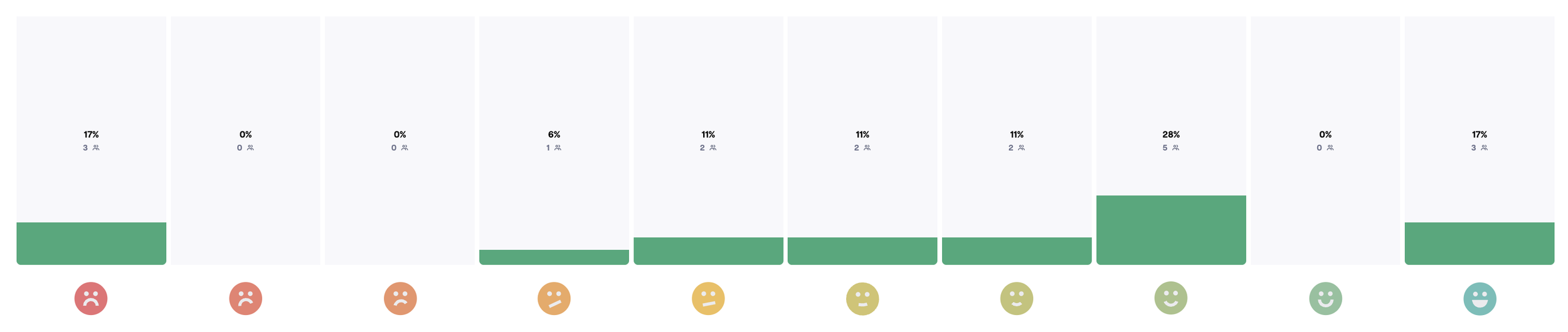
Key Insights:
56% positive feedback with 28% highly satisfied
Polarized responses - 17% at both extremes, few neutral users
17% very dissatisfied need immediate attention
AI chatbot works well for most but has specific pain points
VIDEO: (User feedback) Maze unmoderated testing
Final results of Feature prioritization based on User Rankings:
As the lead researcher on the project:
Gathered faculty impressions of early Smart Owl chatbot designs to understand key needs
Conducted Maze unmoderated usability testing with 10-15 instructors and mentors
Analyzed quantitative and qualitative data to establish a clear feature preference hierarchy: most preferred, mid-high, mid-low, and least preferred
Delivered a prioritized roadmap that directly informed product decisions, focusing development on the highest-impact features
Key opportunities for improving ~ Smart Owl AI Chatbot
As the senior researcher on the team, I analyzed feature prioritization data alongside other research insights to identify key opportunities for improving the Smart Owl AI Chatbot. I then shared these actionable recommendations with stakeholders, the product manager, and the designer for potential implementation.
Opportunities: Must have (features)
Document Uploads: Support for uploading PDFs, Word docs, PowerPoint slides, spreadsheets, and images.
Image Creation: Ability to generate images using the AI chatbot.
AI Model Switching: Make switching between models (e.g., ChatGPT, Gemini, Claude, Perplexity) more intuitive, with ChatGPT as the default.
One-Click Actions: Ensure the one-click feature includes the most relevant options to maximize usability.
Autocomplete Suggestions: Help faculty phrase prompts more efficiently.
Sidebar Options: Improve label clarity and visibility of the sidebar for “New” and “Guides.
Opportunities: Nice to have (features)
Voice Dictation: Enable accurate transcription of faculty voice input to build trust and save time.
Human Support: Option to talk to a human agent when needed.
Tone Adjustment: Allow users to change the tone of responses (e.g., formal, casual).
Like/Dislike: Make the like/dislike feature more engaging by clearly communicating how user feedback improves responses.
Help Resources: Access to clear documentation or a user manual.
Prompt Library: Provide a collection of example prompts to help faculty get started.