Learner 360 website design - Student Notes feature
My Role
• Senior UX/UI Designer (Led the project)
• Collaborated with Staff UX designer
• Leading Student Notes project
• Stakeholder Management
• Interaction Design
• UX/UI design
• Developers Hand Off
Time
2025
User
Program Mentors & Course Instructor
Platform
Website design for Faculty members
Project Goal:
To uncover pain points and guide improvements
to the existing Salesforce platform.How faculty document and share student interactions,
How are student interactions documented?
How can the process be improved?
Business problem:
Student notes are stored in Salesforce, using 12% of available storage.
High storage costs and limited scalability.
Inefficient user experience for faculty.
Solution:
Transitioning into a new portal outside the Salesforce.
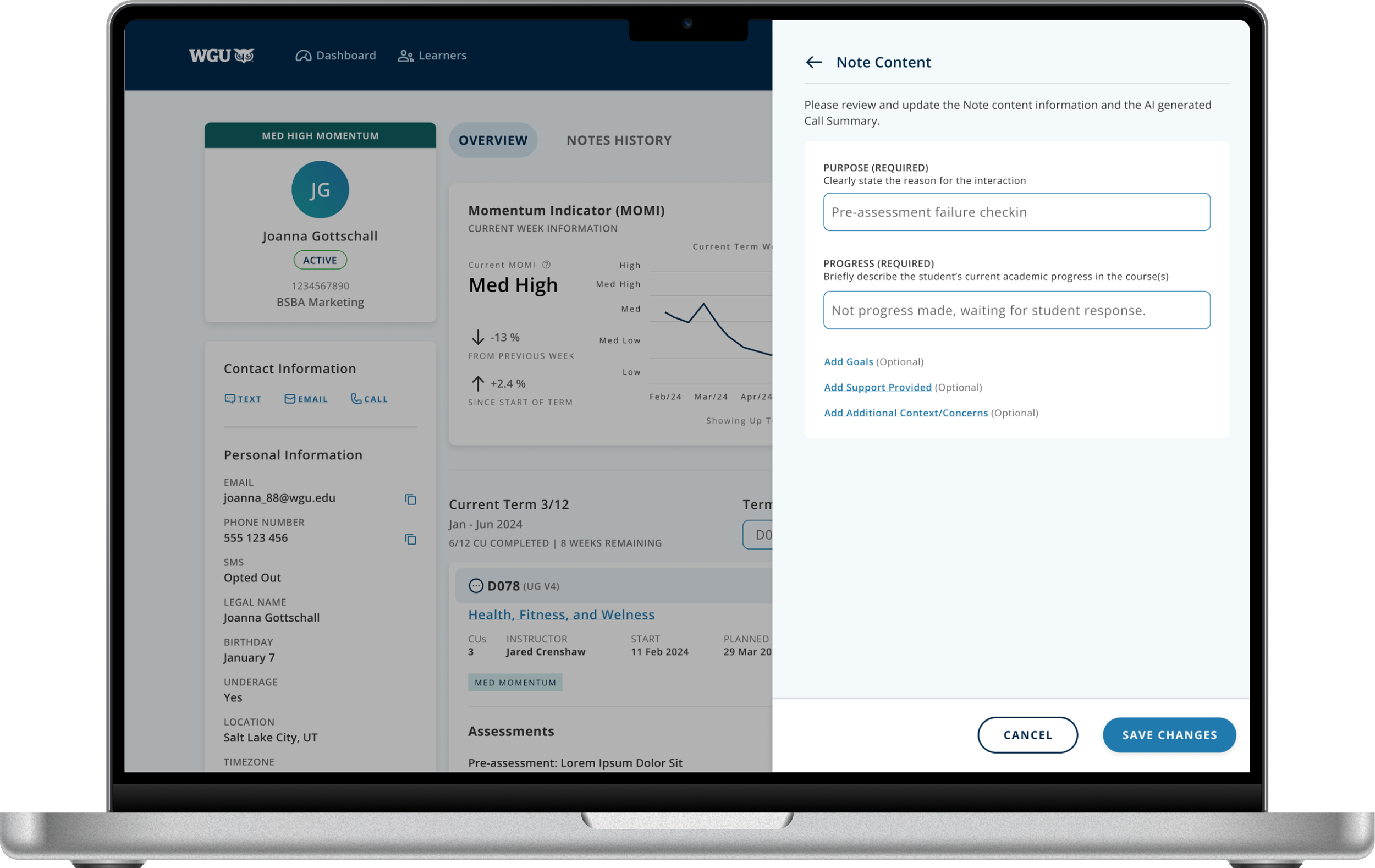
Final Design
-
![Return to Supplier.png]()
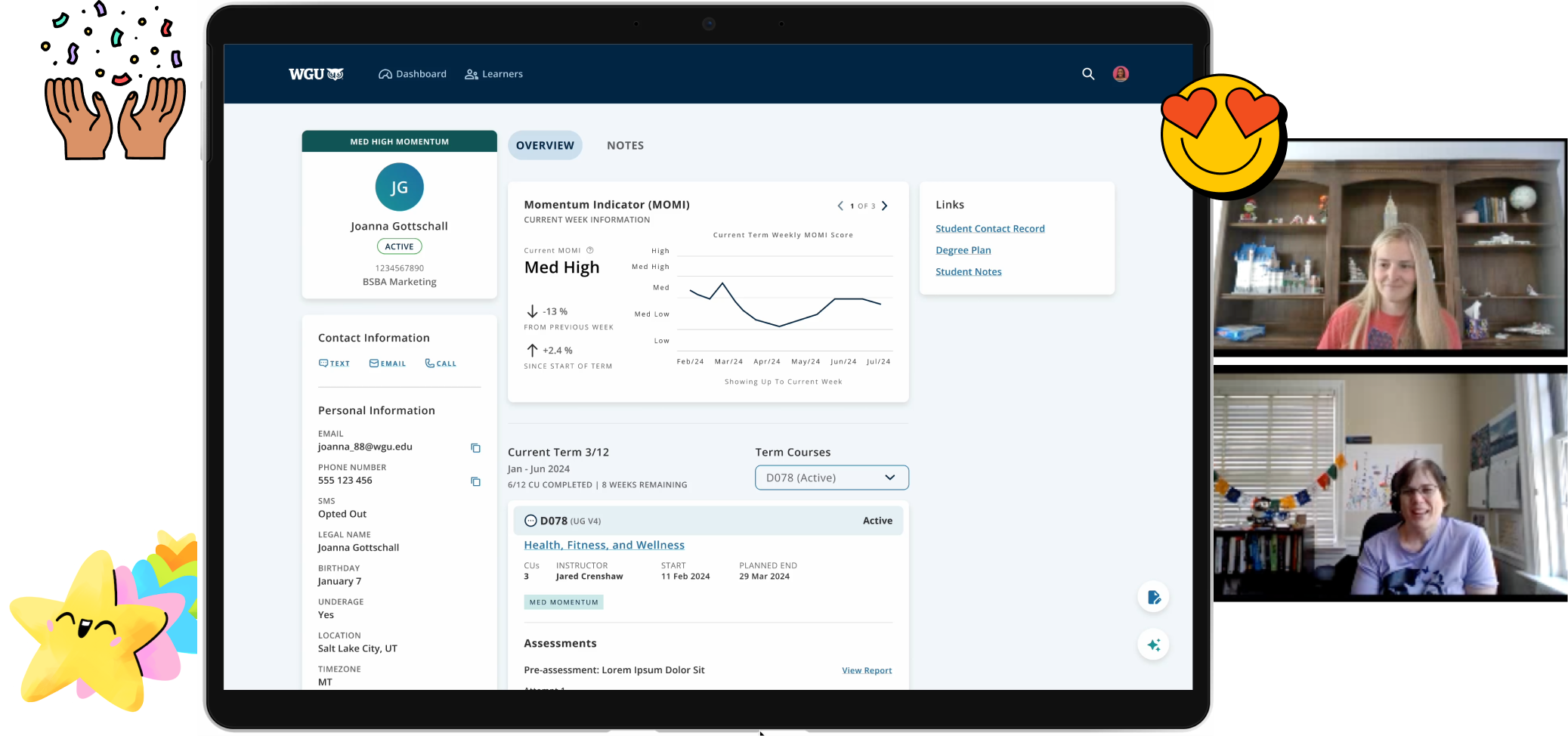
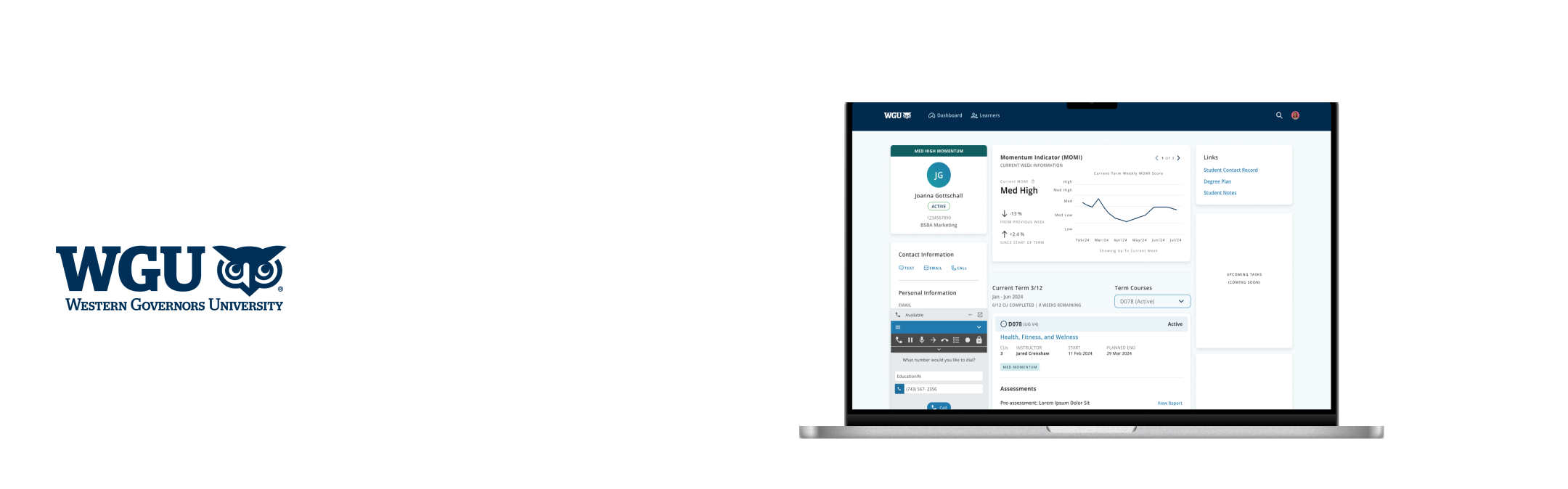
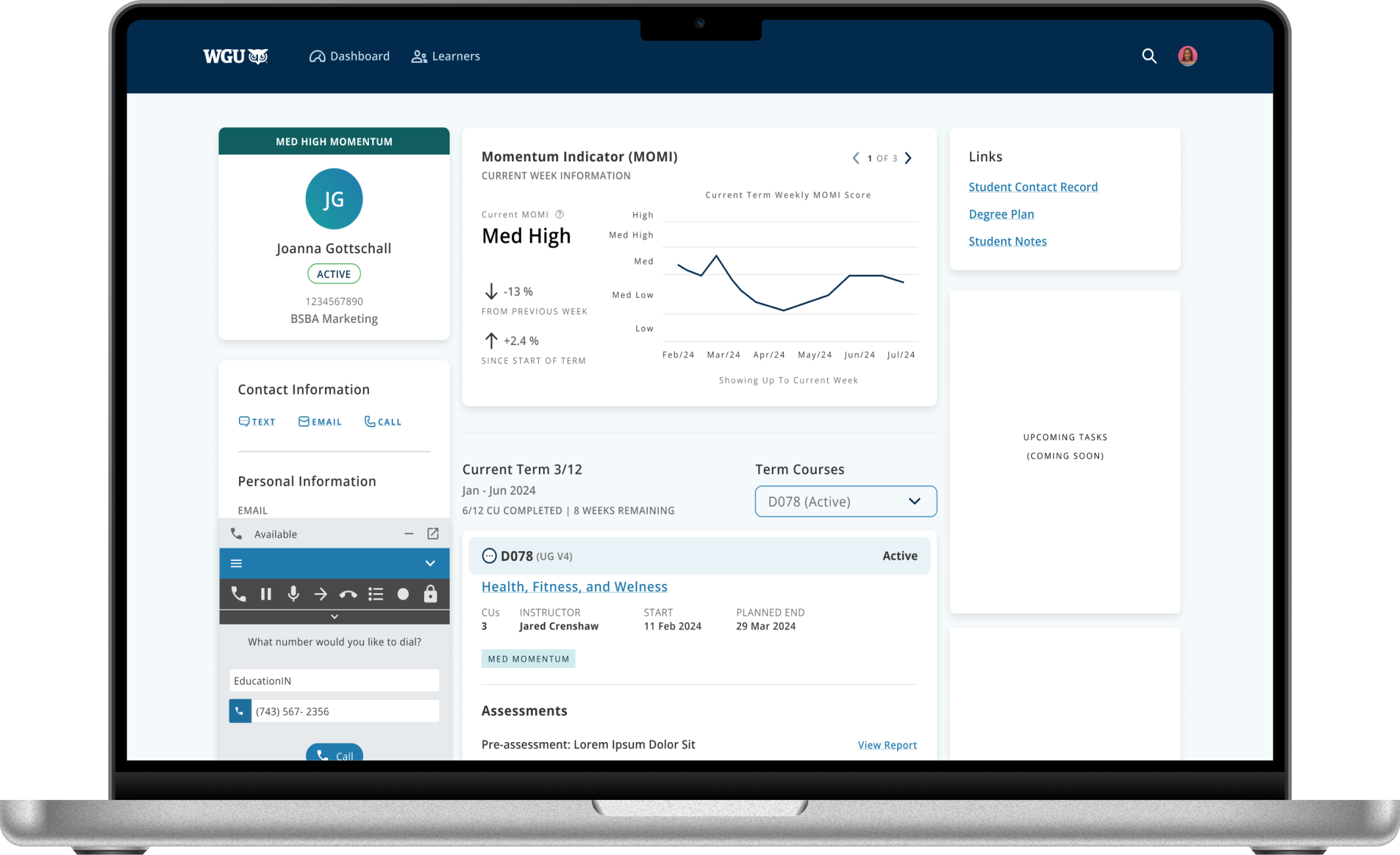
Learner 360 Overview page
Faculty initiates a call to student
-
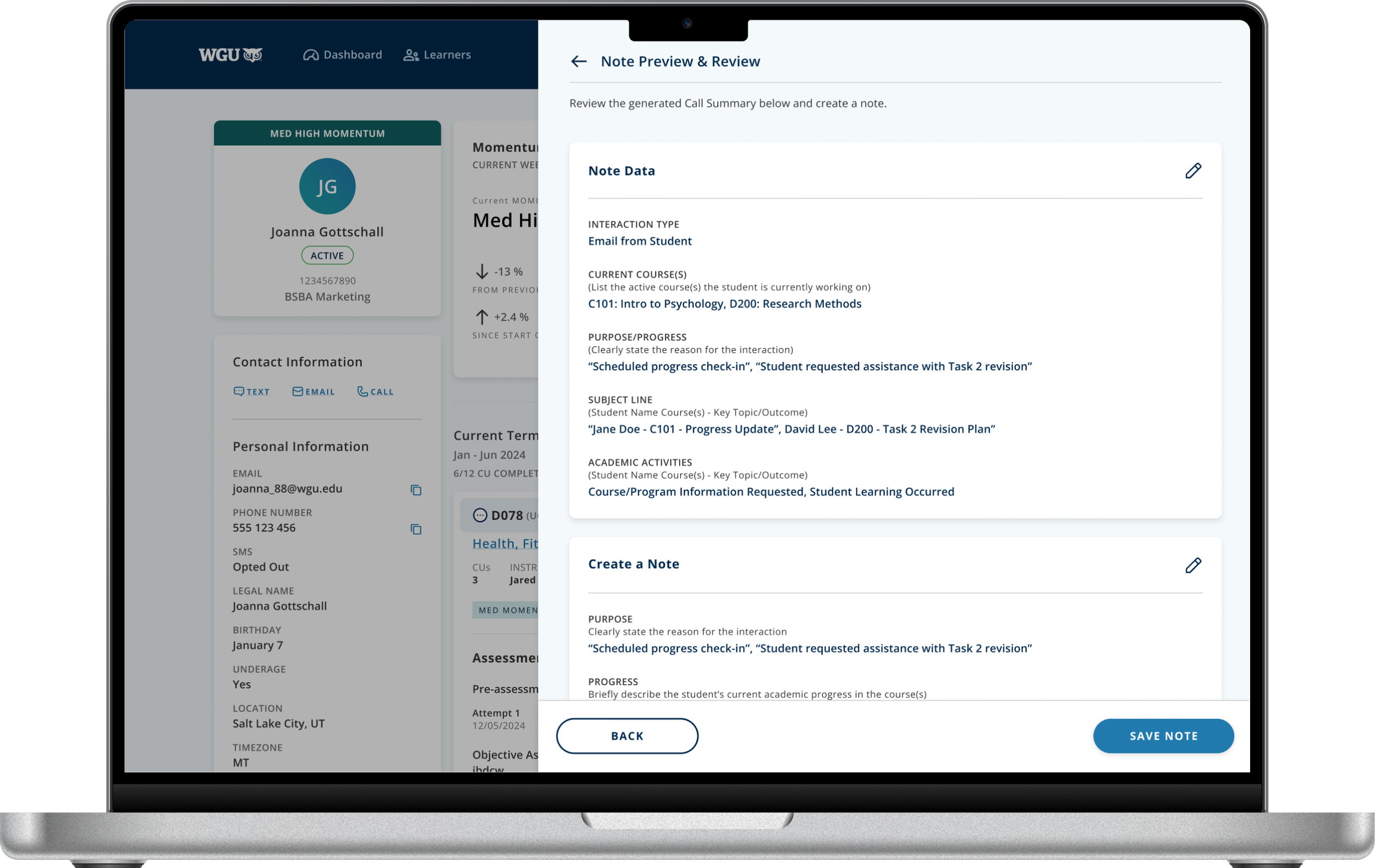
![AI Generated Summary page]()
AI Generated Summary page
AI Generated Summary page
-
![AI Note Content_EDIT]()
AI Note Content_EDIT
AI Note Content_EDIT
How I started [Current Salesforce Experience]
Student Notes
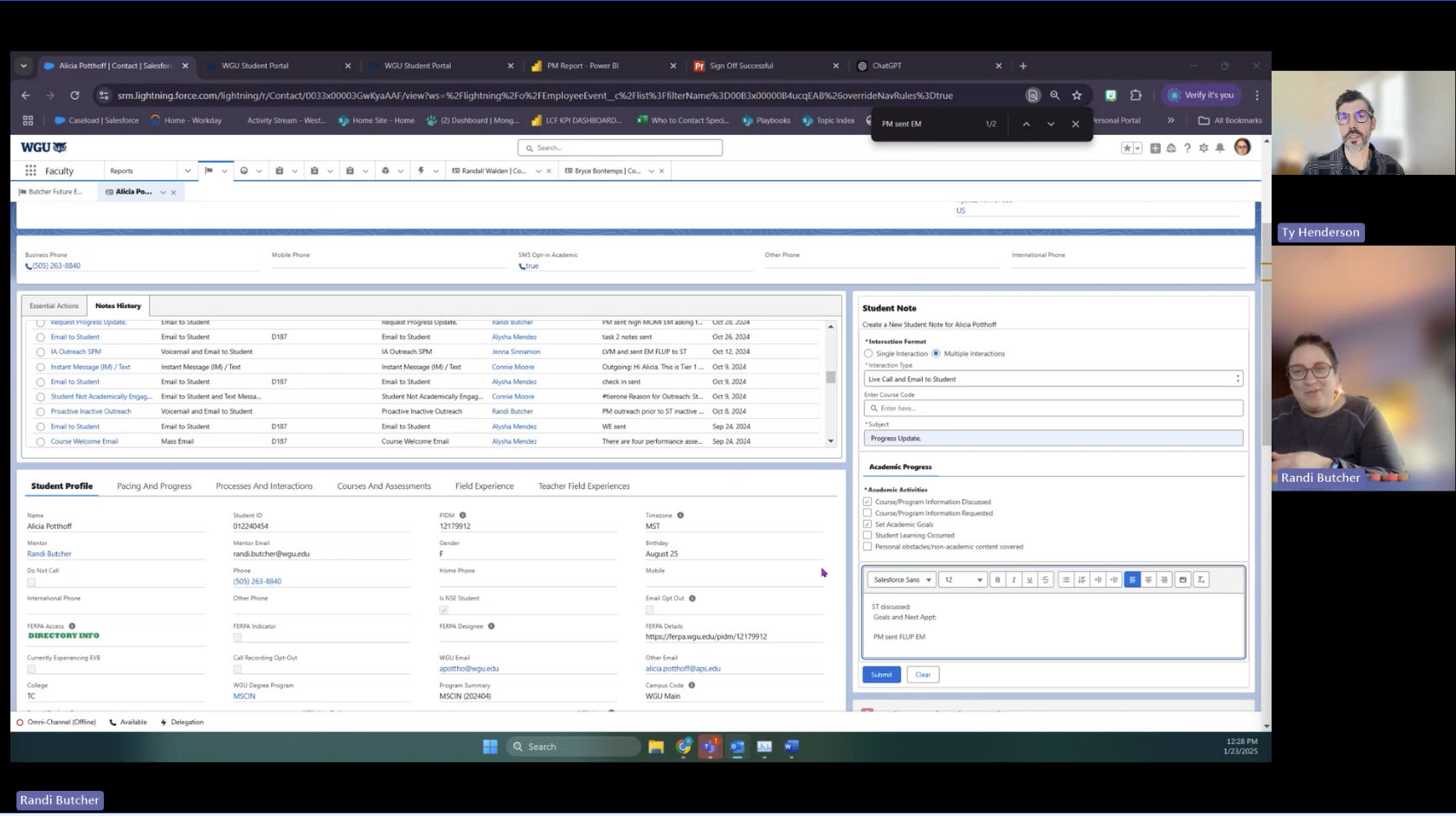
Student notes are stored in Salesforce, using 12% of
available storage.Documenting faculty-student interactions is time-consuming and labor-intensive.
High storage costs and
limited scalability.Inefficient user experience
for faculty.
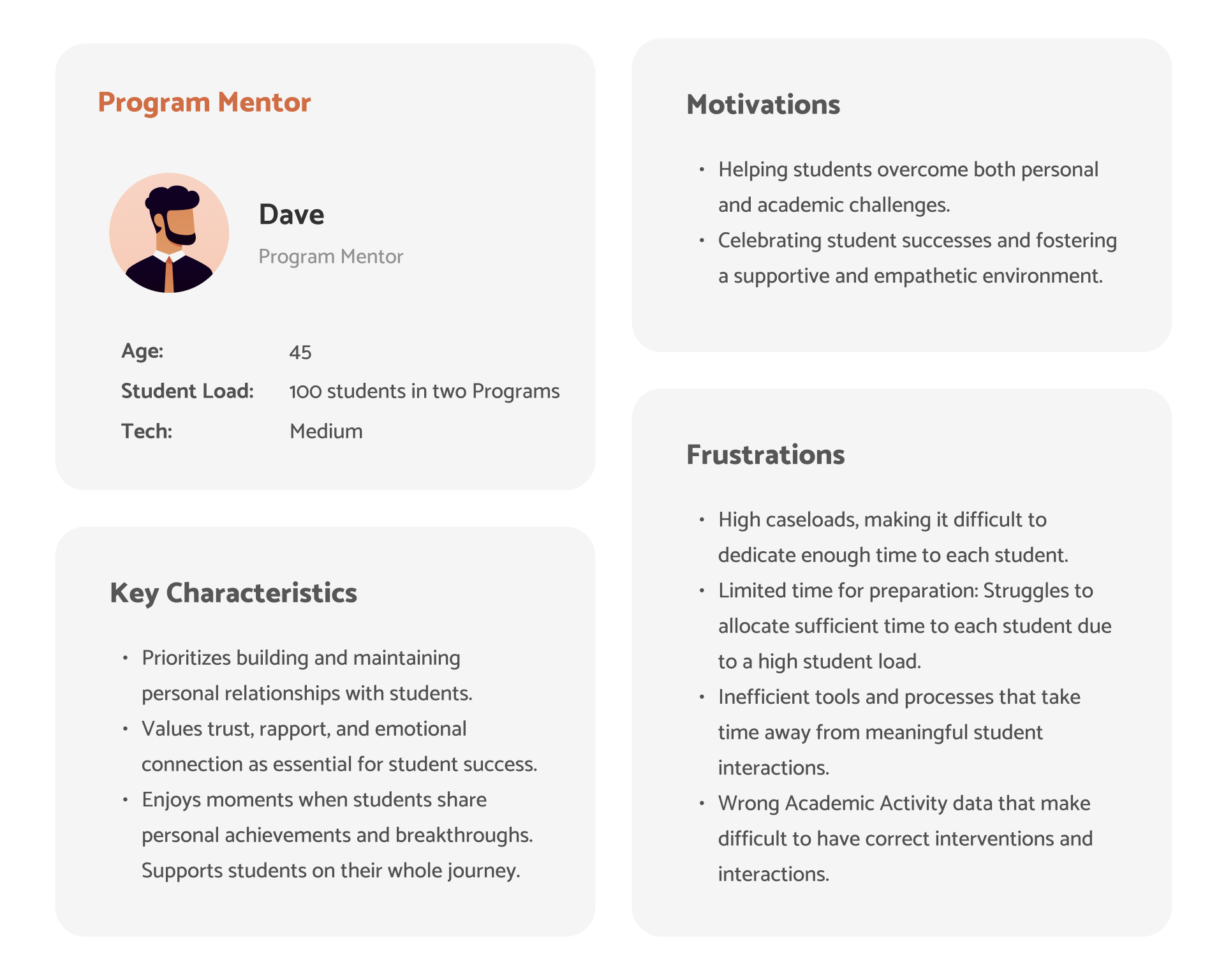
Who exactly is our User?
-
![Program Mentor]()
Program Mentor
Pain-points in the Faculty Journey-
• Heavy workload – Program mentors manually record notes for 100 students across two programs.
• Inefficient tools & processes – Time-consuming tasks reduce meaningful student interactions.
• Time constraints for manual note-taking – Faculty struggle with manually recording interactions in Salesforce Student Notes.
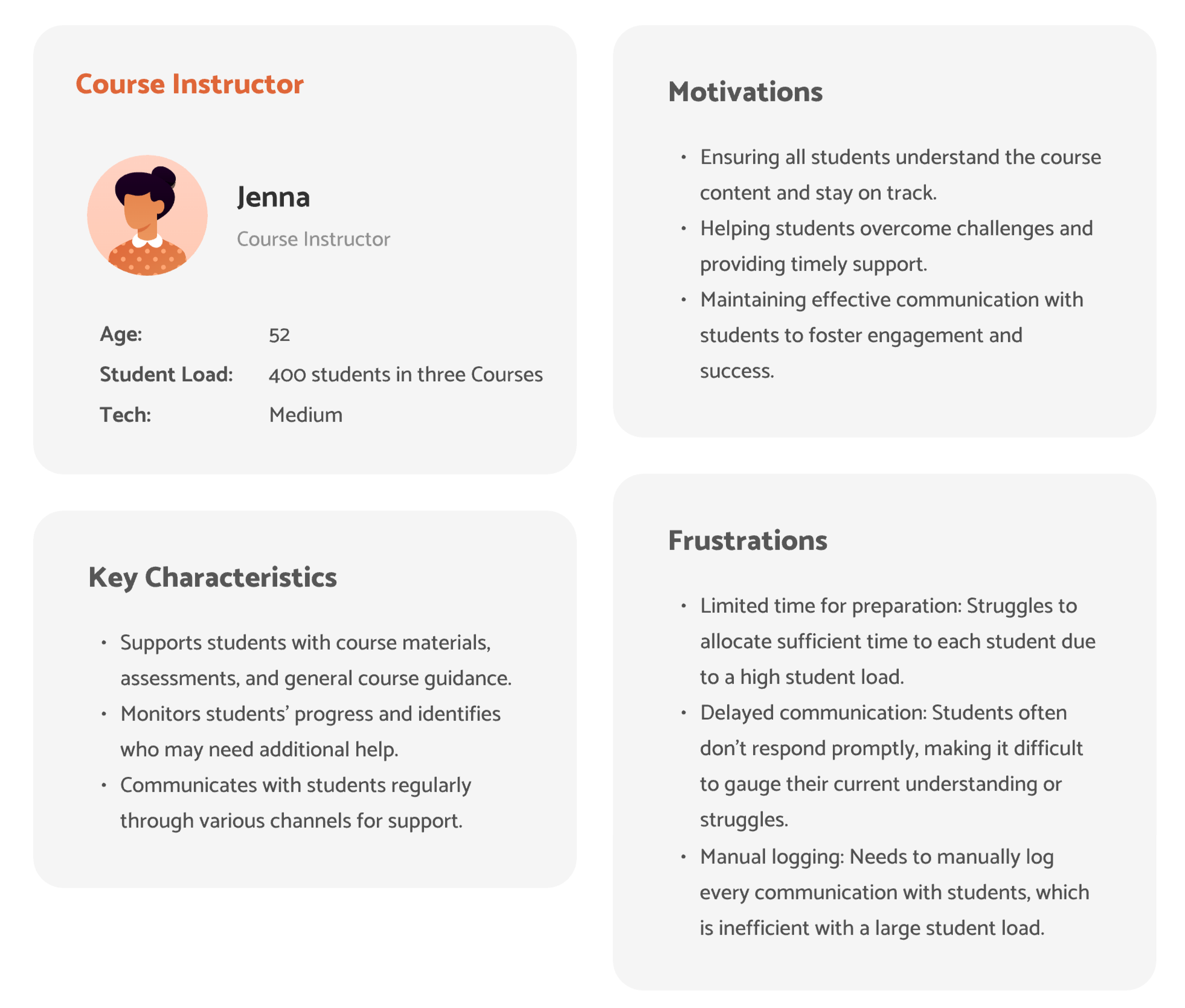
-
![Course Instructor]()
Course Instructor
• Challenge: The time-consuming nature of copying and pasting Outlook emails into Salesforce notes.
• The need for a more integrated system to streamline the process.
Faculty interviews
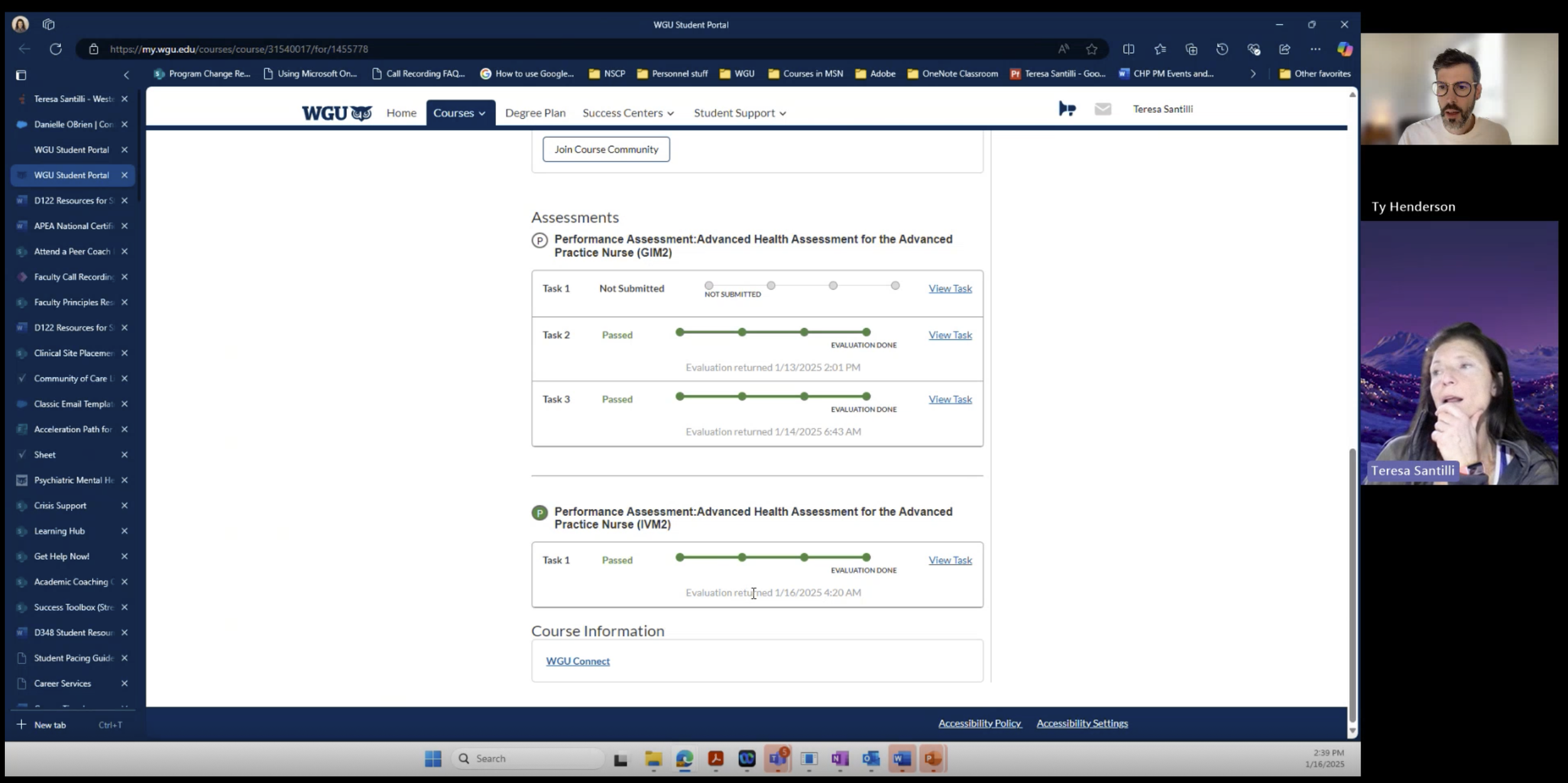
Insights from user interviews
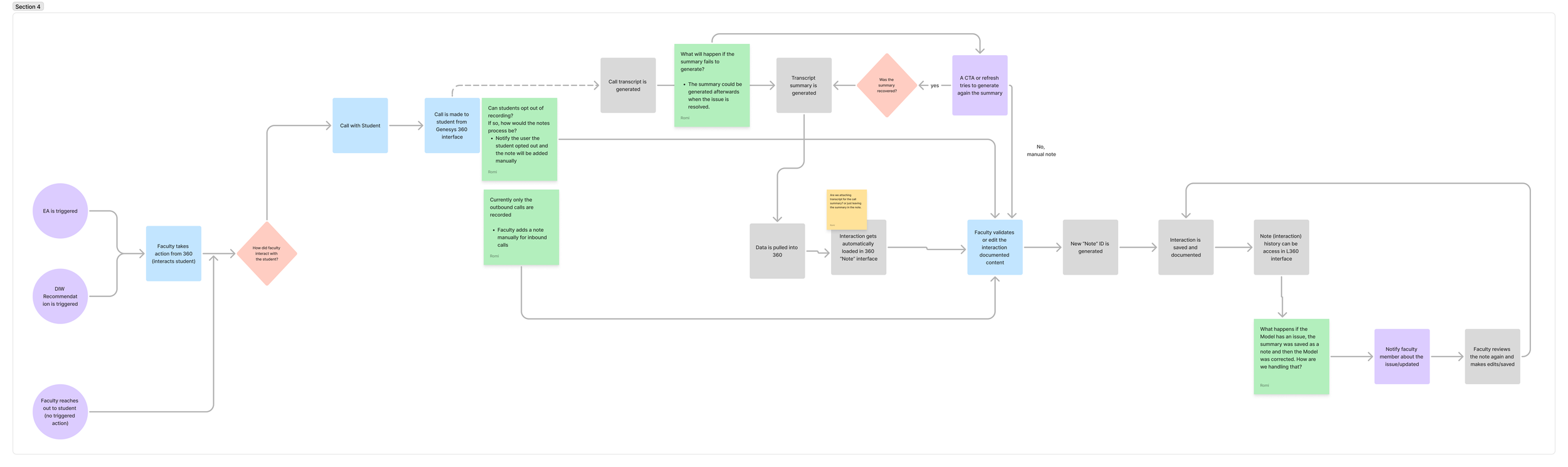
Workflow for AI generated Student Note
-
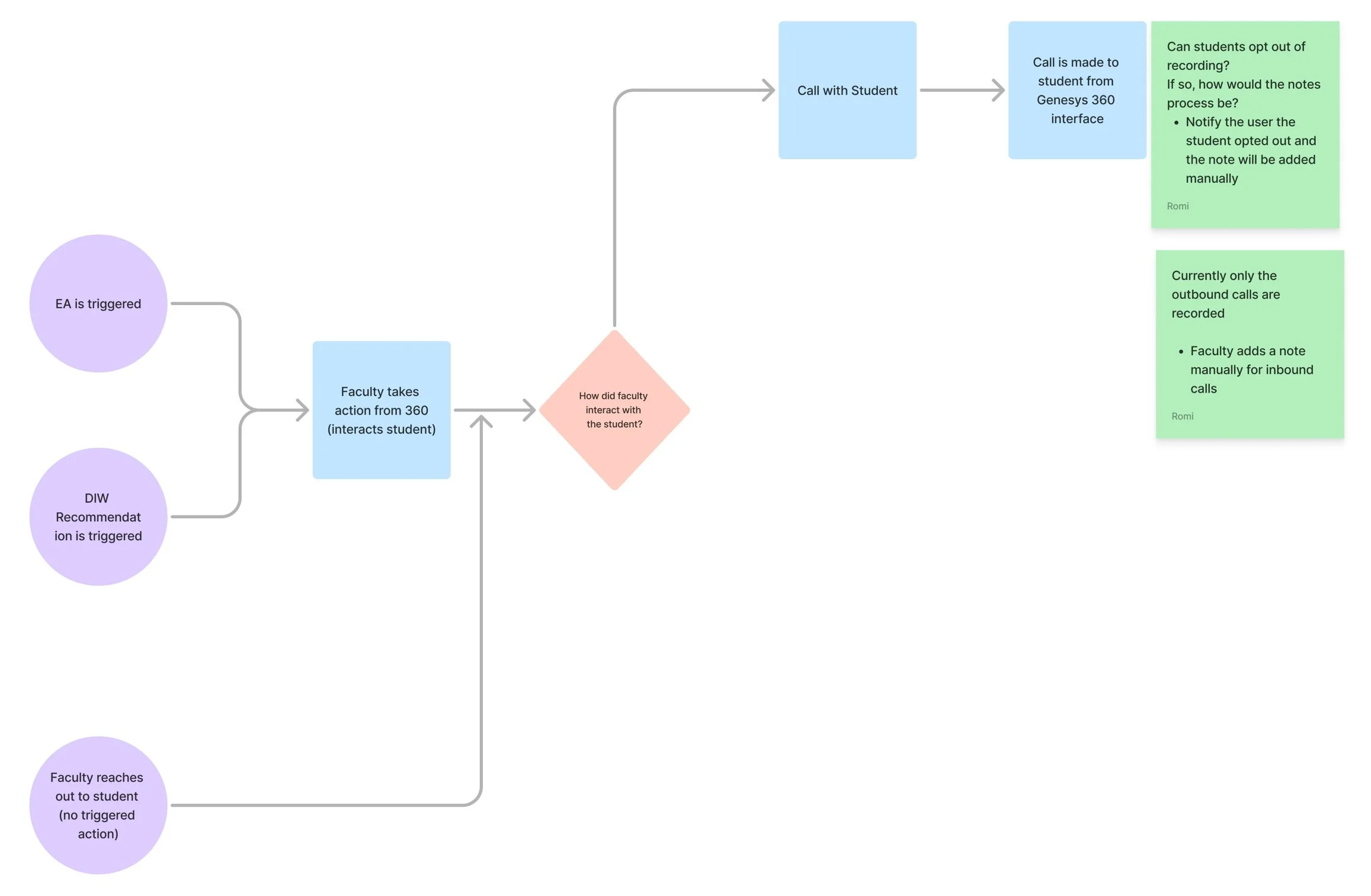
![Faculty reaches out to Student]()
Faculty reaches out to Student
A faculty workflow for student interaction based on certain interaction: like live calls, emails, or text messages.
-
![Call is made to student from Learner360 platform]()
Student Interaction:Call
Faculty called the student from Learner360 platform.
-
![2) Call transcript is generated]()
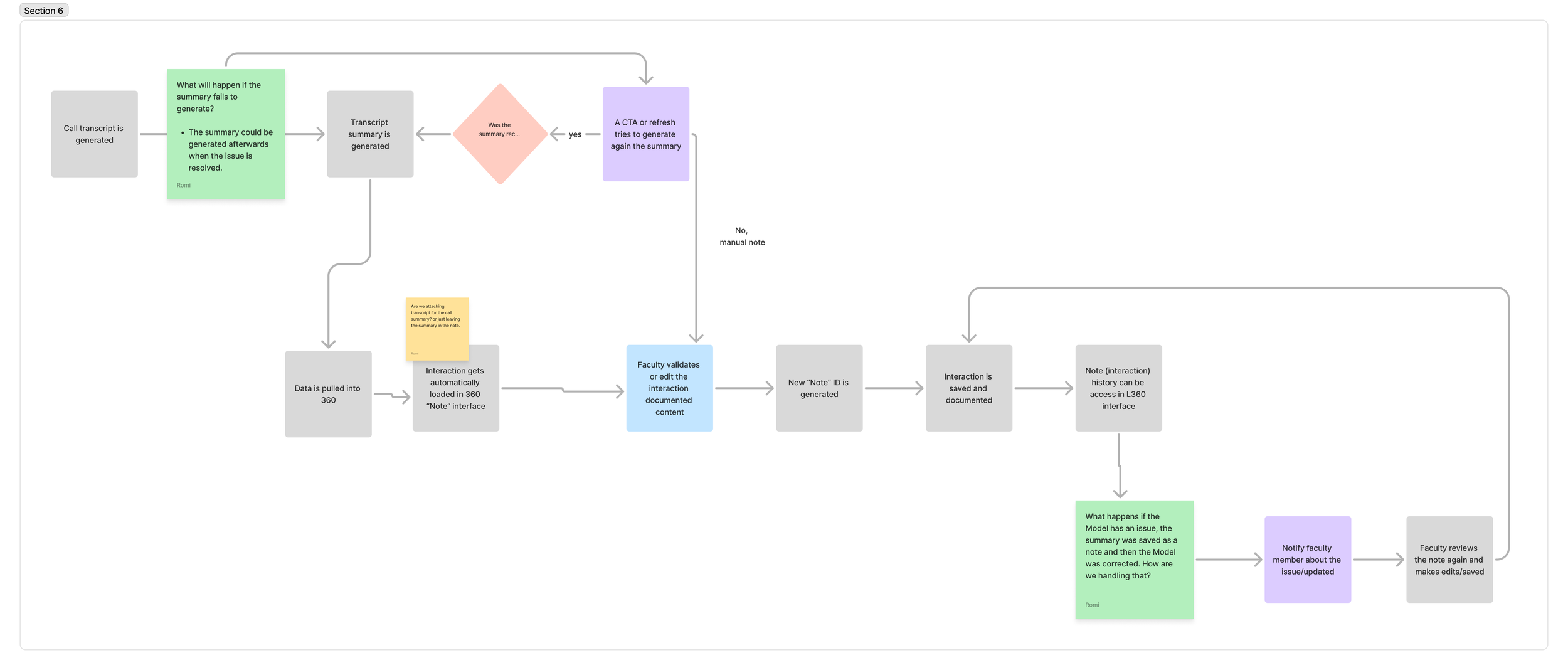
Transcript summary is generated
• Faculty initiates a call with the student using the 360 interface.
• A call transcript is generated.
• Data is pulled into the 360 Learner portal.
• The interaction is automatically loaded into the 360 “Note” interface.
• The interaction is saved and documented.
• Note (interaction) history can be accessed in the L360 interface.
Key UX/UI Improvements
Before
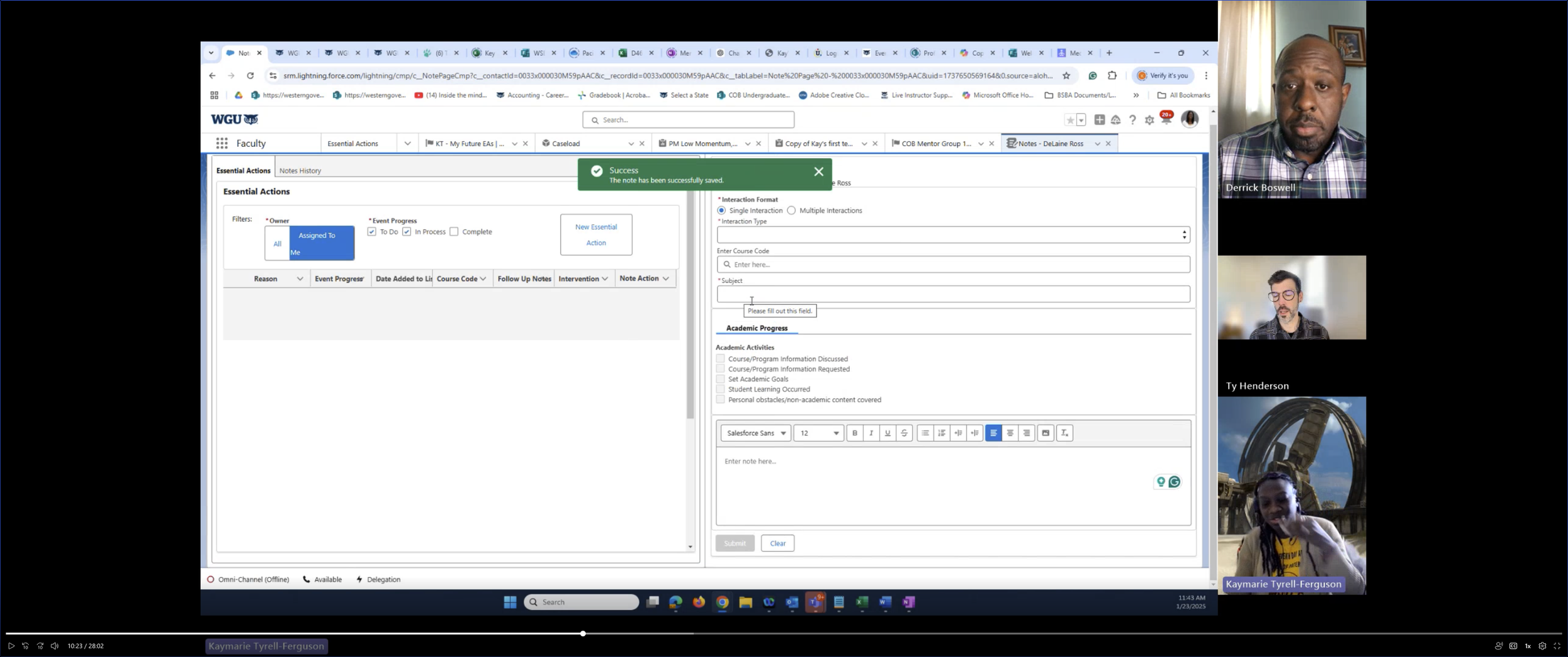
Current Salesforce Student Note feature presents several usability limitations due to its outdated design and manual input requirements.
The existing “Create Note” interface lacks modern, intuitive design elements, which negatively impacts user engagement and efficiency.
Faculty manually record notes, causing inefficiency and more admin work, reducing teaching time.
Key requirements include redesigning the note-taking interface to a cleaner and more user-friendly layout to enhance usability.
Manual Notes
After
Faculty currently record student notes manually after each session, leading to inefficiencies and decreased productivity.
Automating the note-taking process can streamline documentation, reducing the time faculty spend on administrative tasks.
Automation can lessen faculty workload, allowing them to focus more on teaching and student engagement.
Improved accuracy in records can be achieved by minimizing human errors associated with manual note entry.
Before
Problem: The manual process of taking notes by faculty members is highly time-consuming and inefficient, leading to a significant drain on productivity.
2. Auto-generated Note
After
Improved UX/UI
Transitioning into a new portal outside the Salesforce called “Learner 360“
Call summary is auto-generated based on the call transcript
Using Call transcript - we are able to pull the specific data for Call summary fields.
Faculty approves the AI generated note & the note is successfully created.
Before
3. Note History
No search: Users can’t quickly find notes by student or topic.
No editing: Saved notes can’t be corrected or updated.
No filtering: Notes can’t be sorted or narrowed by course, date, interaction type, or author.
After
• Search: Added a search feature to easily find notes by subject, topic, or keyword.
• Enhanced Notes List: A cleaner, more organized way to browse past interactions.
• Customizable Columns: Choose which details to display, like date or subject line.
• Advanced Filters: Easily filter notes by date, type, student, or creator.
• Editable Notes: Update notes anytime to correct or add info.
4. Advanced Feature - Notes Assistant
Before
Current Search Limitation: Faculty rely on basic browser search to navigate through past notes.
No Built-in Search in Salesforce: Users don’t have a direct way to search within Salesforce for specific notes or data.
After
New Way to Search via AI: Faculty preparing for a student check-in can now easily review past notes.
Now, instead of digging through the Note History, you can quickly search using the new Notes Assistant feature.
Final Design
-
![Return to Supplier.png]()
Learner 360 Overview page
Faculty initiates a call to student
-
![AI Generated Summary page]()
AI Generated Summary page
AI Generated Summary page
-
![AI Note Content_EDIT]()
AI Note Content_EDIT
AI Note Content_EDIT
Results 🥳
30% Faster Note-Taking – Streamlined clicks and templates reduce note-taking time, letting Faculty focus more on students and less on admin work.
Improved Knowledge Sharing – Standardized templates boost clarity and improve team collaboration by 40%, making shared notes more actionable.
80% Less Search Time – AI-powered search drastically cuts time spent finding notes for prep and insights, keeping Faculty better informed in the moment.
2-Minute Call Summaries – Auto-notes reduce summary time from 10+ minutes to under 2, saving hours weekly and improving follow-up speed.